01
Roles that fit your team
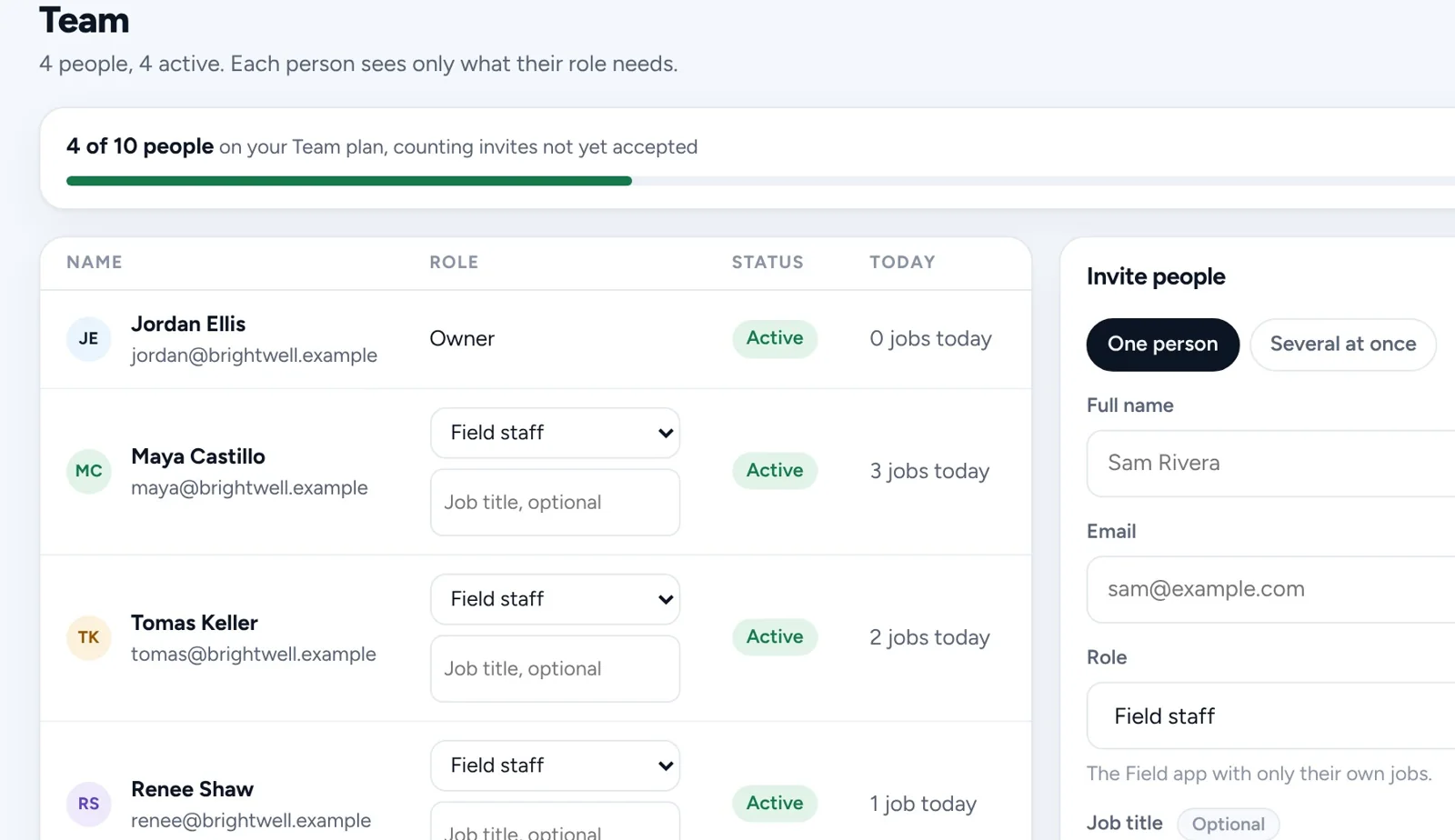
Owner, manager, office, sales, crew lead and field staff. Each role only sees what it needs.
Team and pay
Invite your crew with the right role, track hours from the time clock, and see what each person earned, however you pay them.
14 days free. No card needed.
One at a time or several at once, each with a role that fits what they do.
Hours come from the time clock, jobs from the schedule.
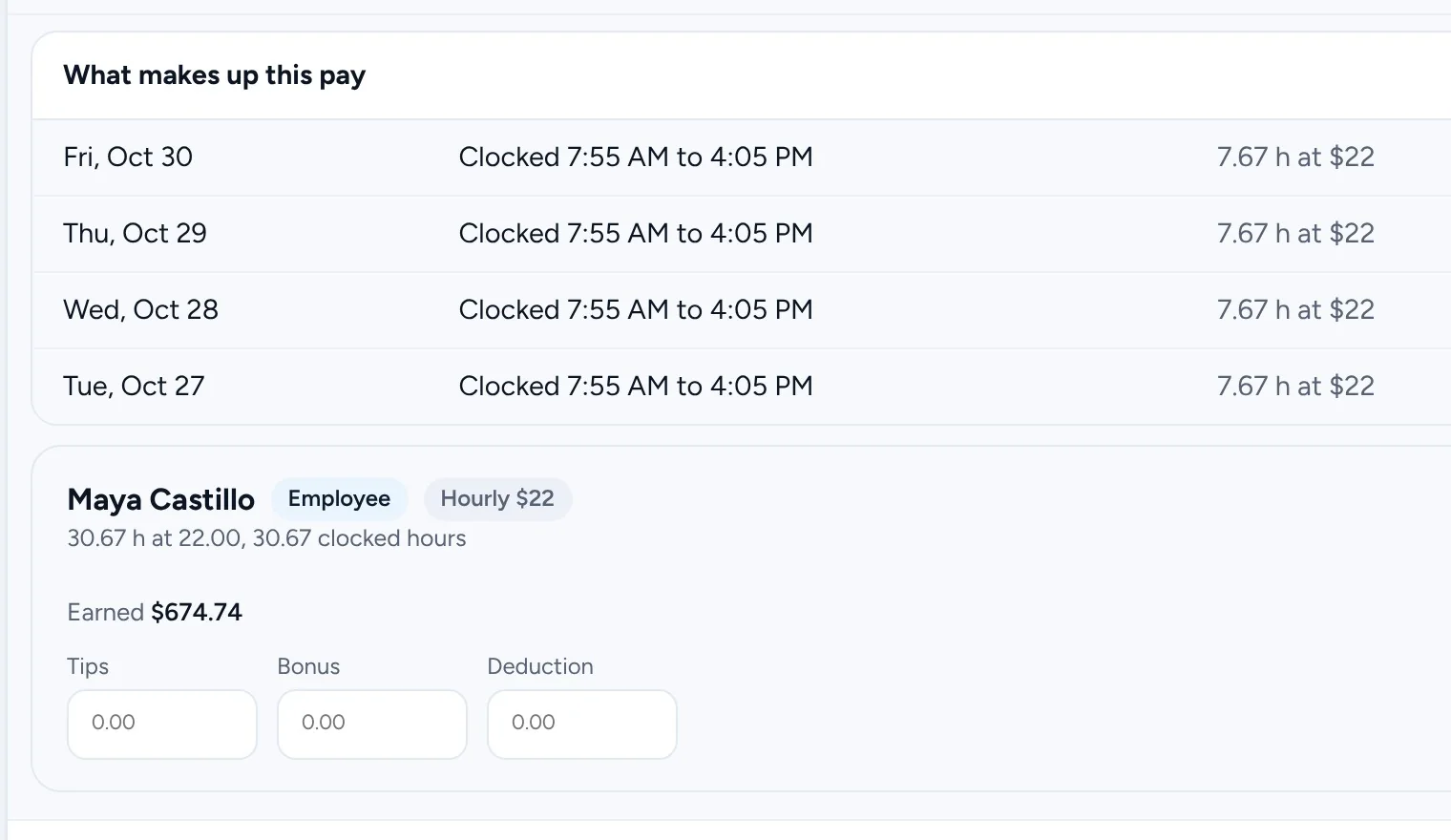
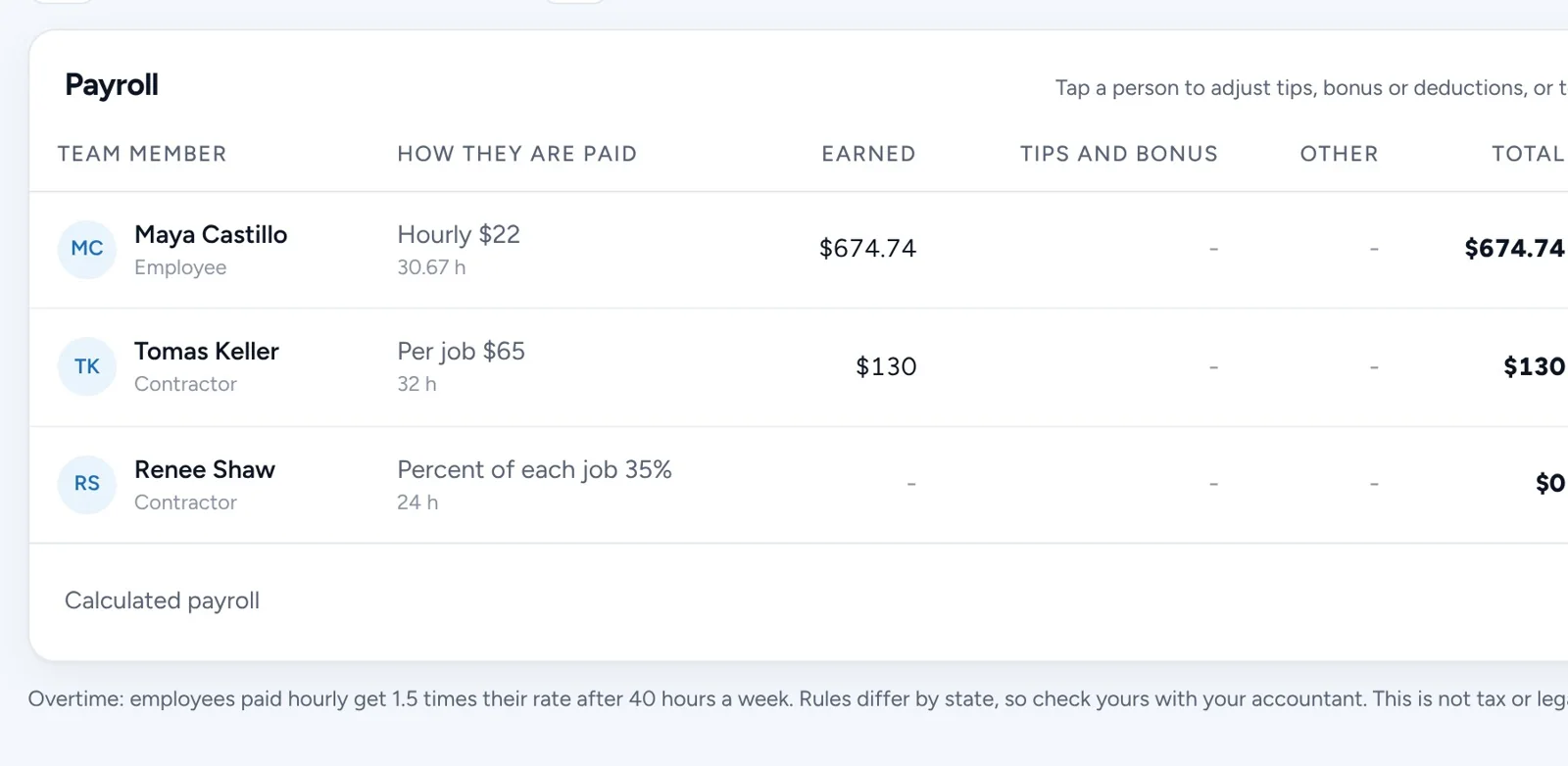
See each total and the lines behind it, pay them your usual way, and mark it paid.
Owner, manager, office, sales, crew lead and field staff. Each role only sees what it needs.
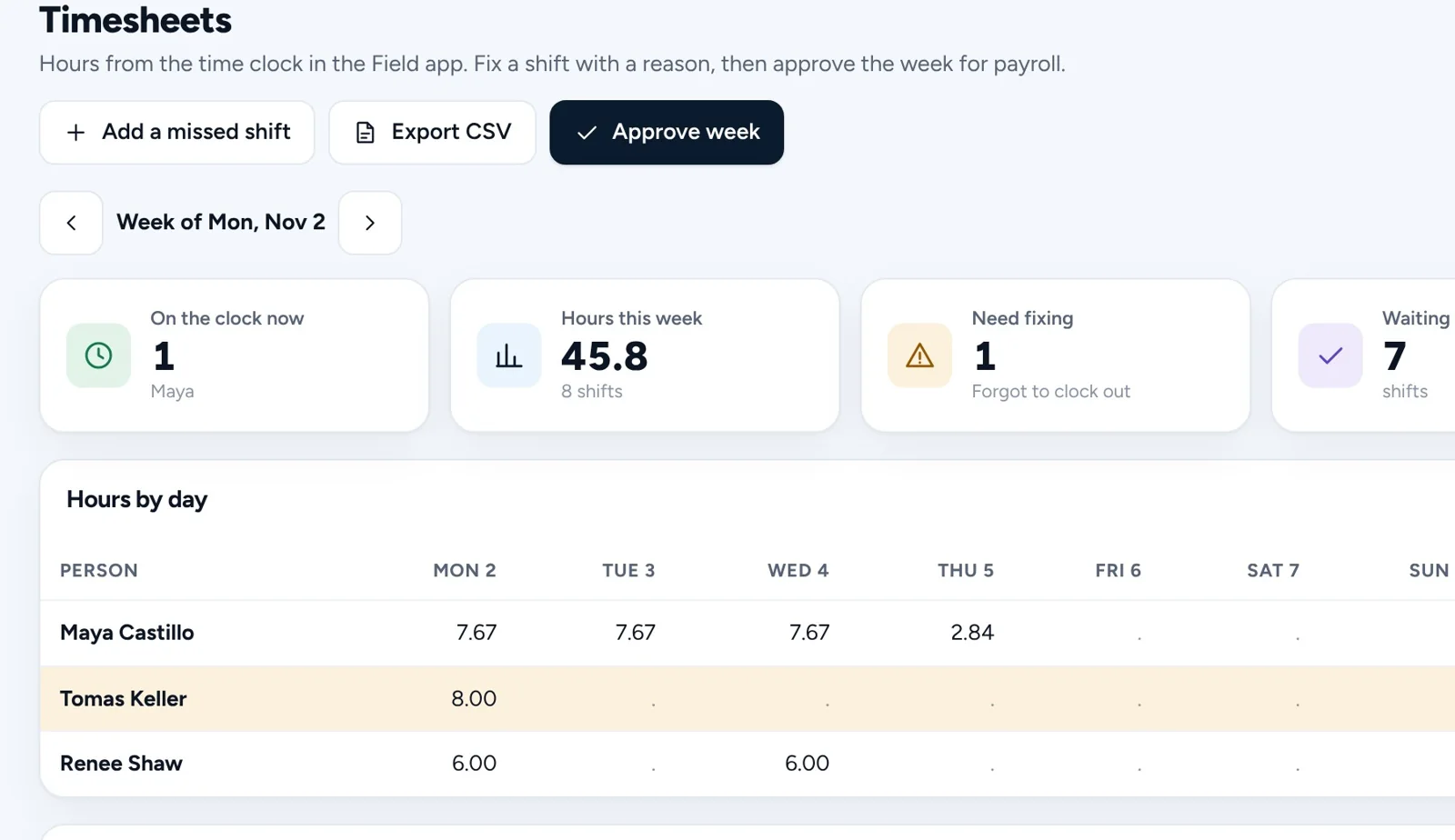
Clock in and out in the Field app. Fix a missed shift with a reason, then approve the week.
Hourly, per job, a percent of each job, a day rate or per new customer, with crew splits and overtime.
Every shift or job behind a person's pay, plus anything to check first, like a shift that was never clocked out.
No. Each plan is one price for a set number of people. Check Pricing for how many each plan includes.
No. Field staff only see their own jobs. Team pay is for you, and managers only if you allow it.
It works out what each person earned. Paying them and taxes stay with your usual payroll or accountant.
Get started
Every business on Homestone starts the same way: one page, one link, one first booking. Set it up yourself from your phone, or with us on a call.
14 days free on every plan. No card needed.