01
Everyone's day, side by side
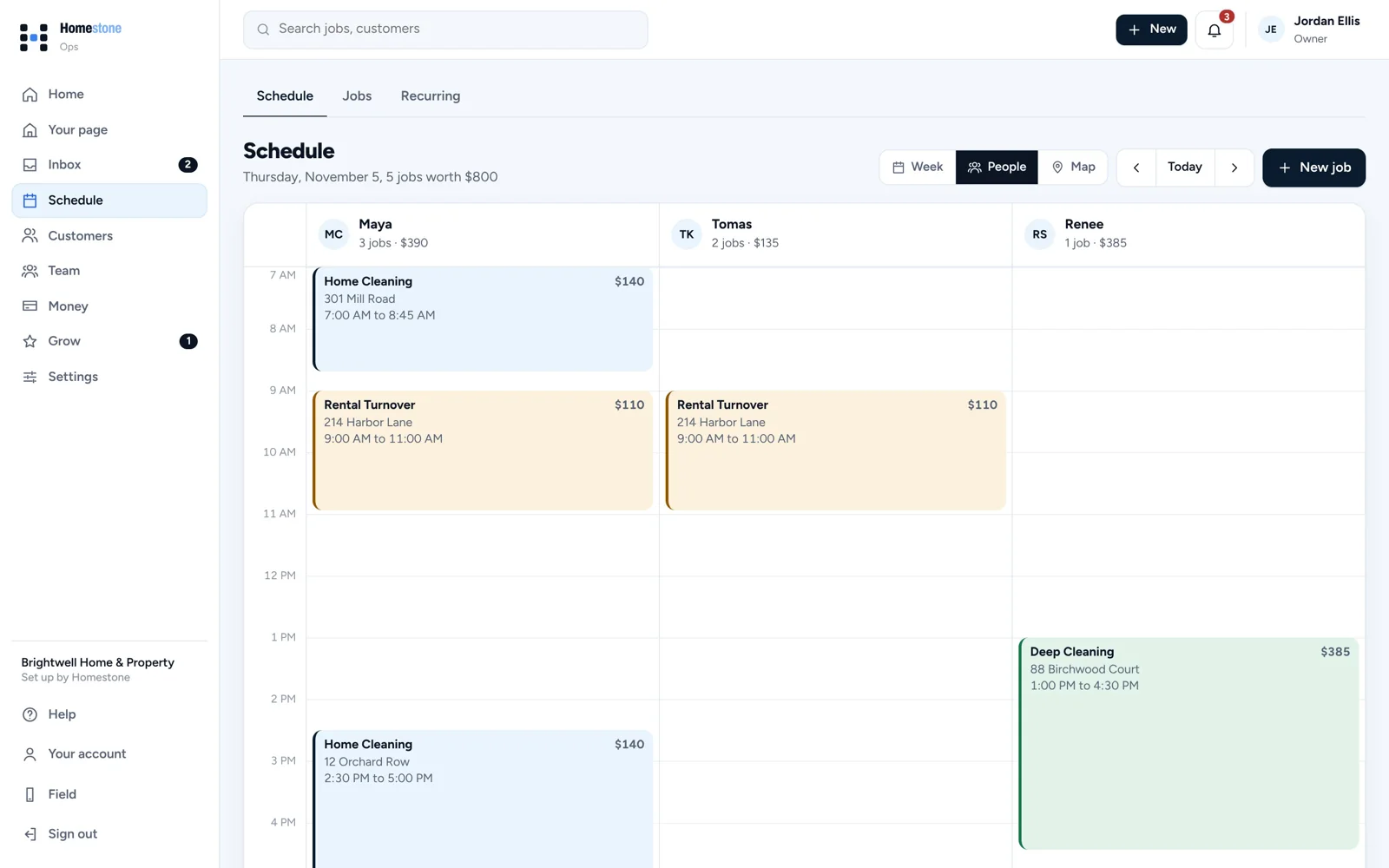
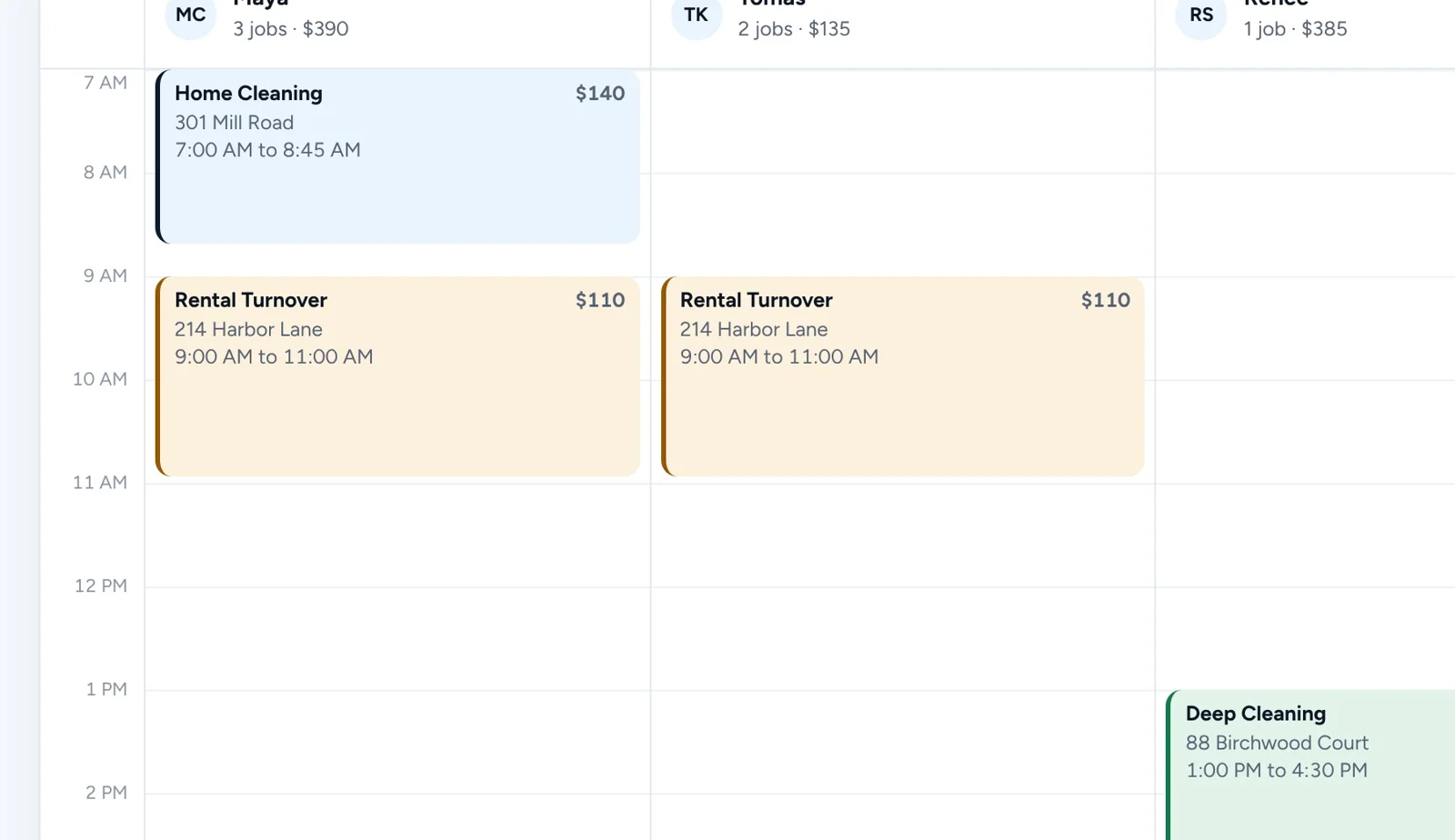
Switch between the week, each person and a map. Clear a day or offer an opening when plans change.
Schedule and Field app
See the week by day or by person, keep regulars repeating on their own, and give your crew the address, checklist and photos on their phone.
14 days free. No card needed.
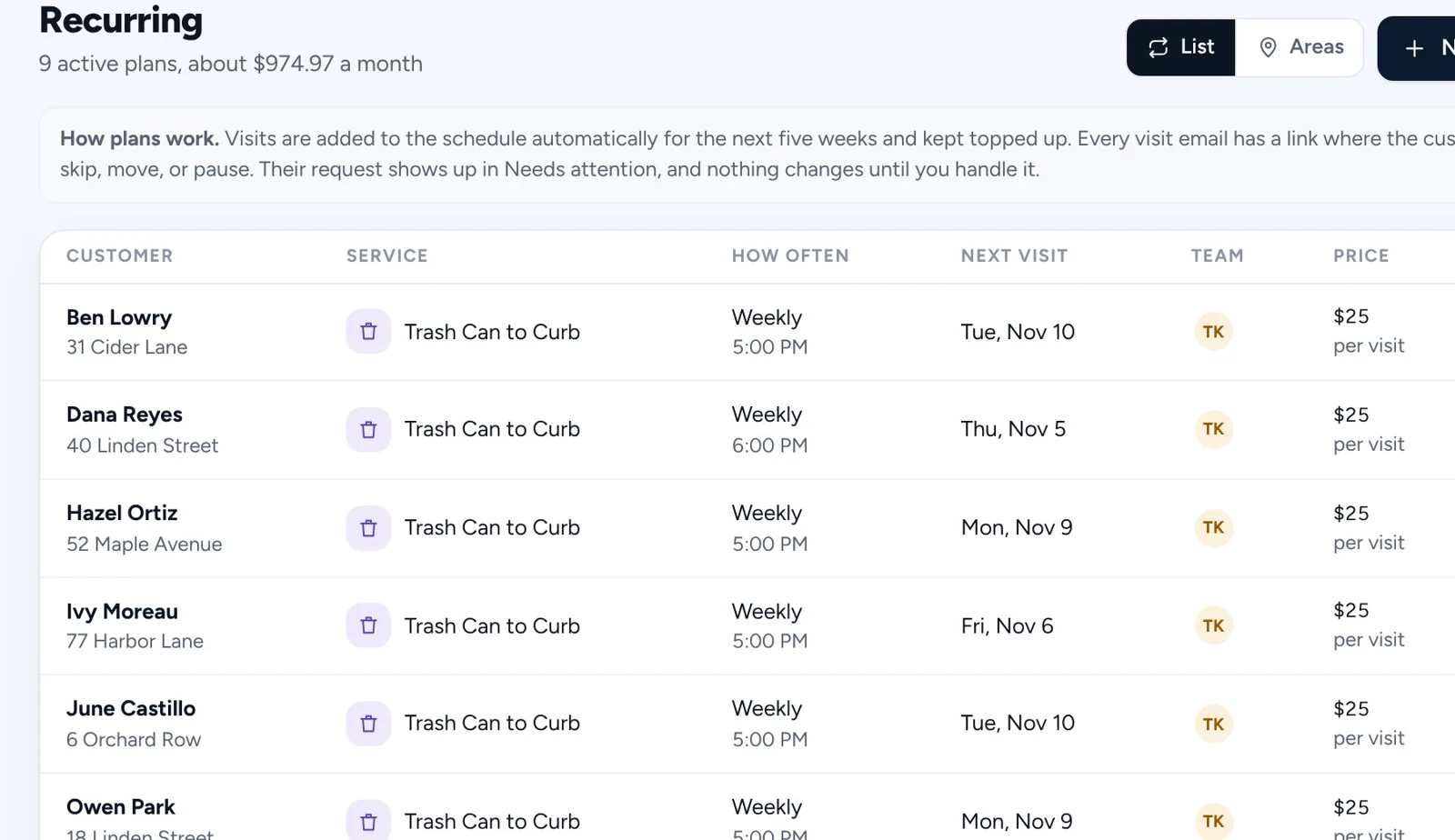
Booked and recurring visits show up on the right day, with the right person.
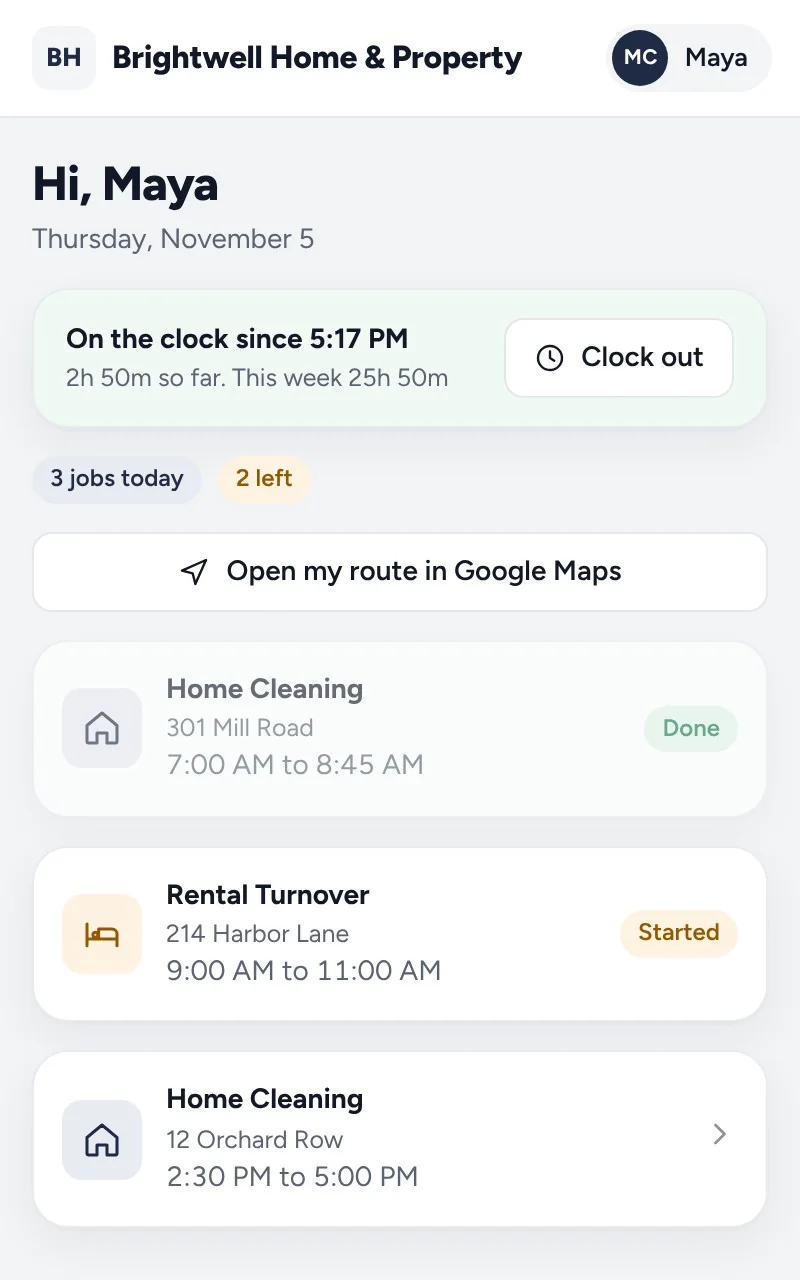
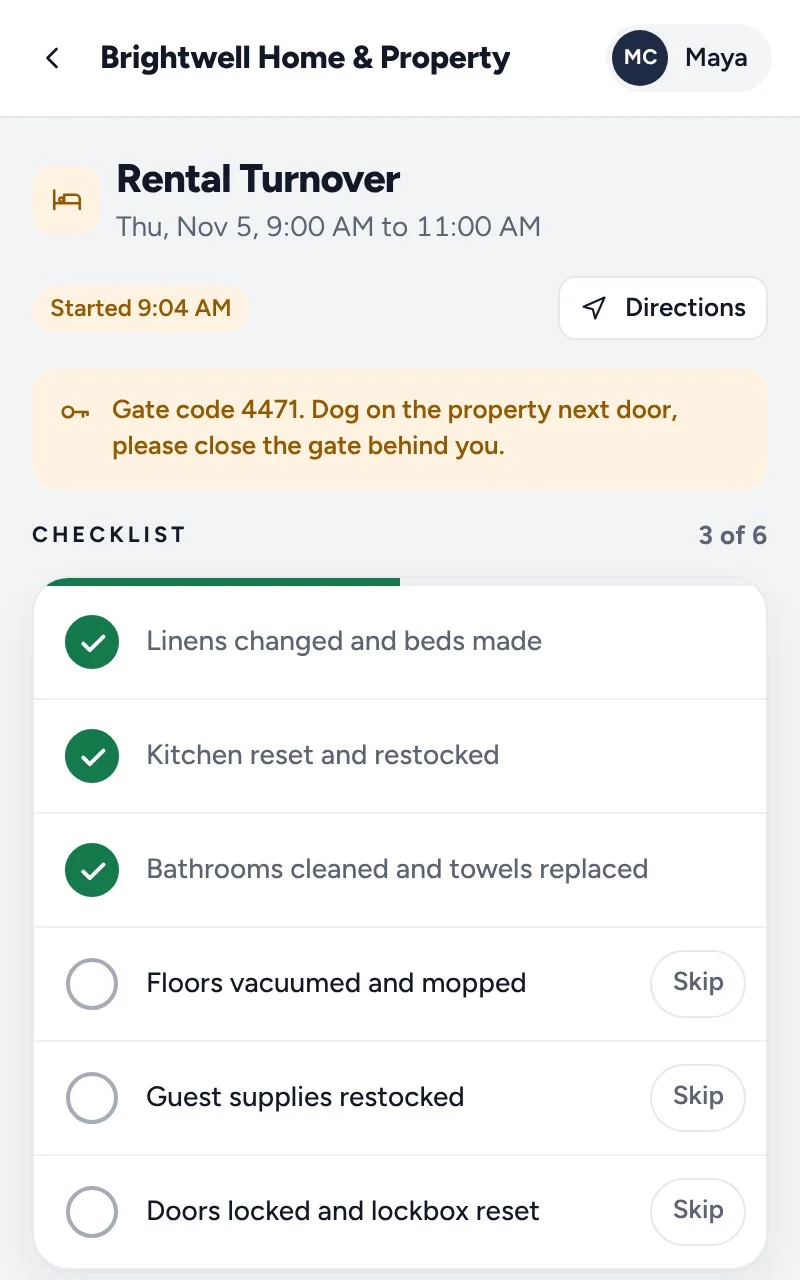
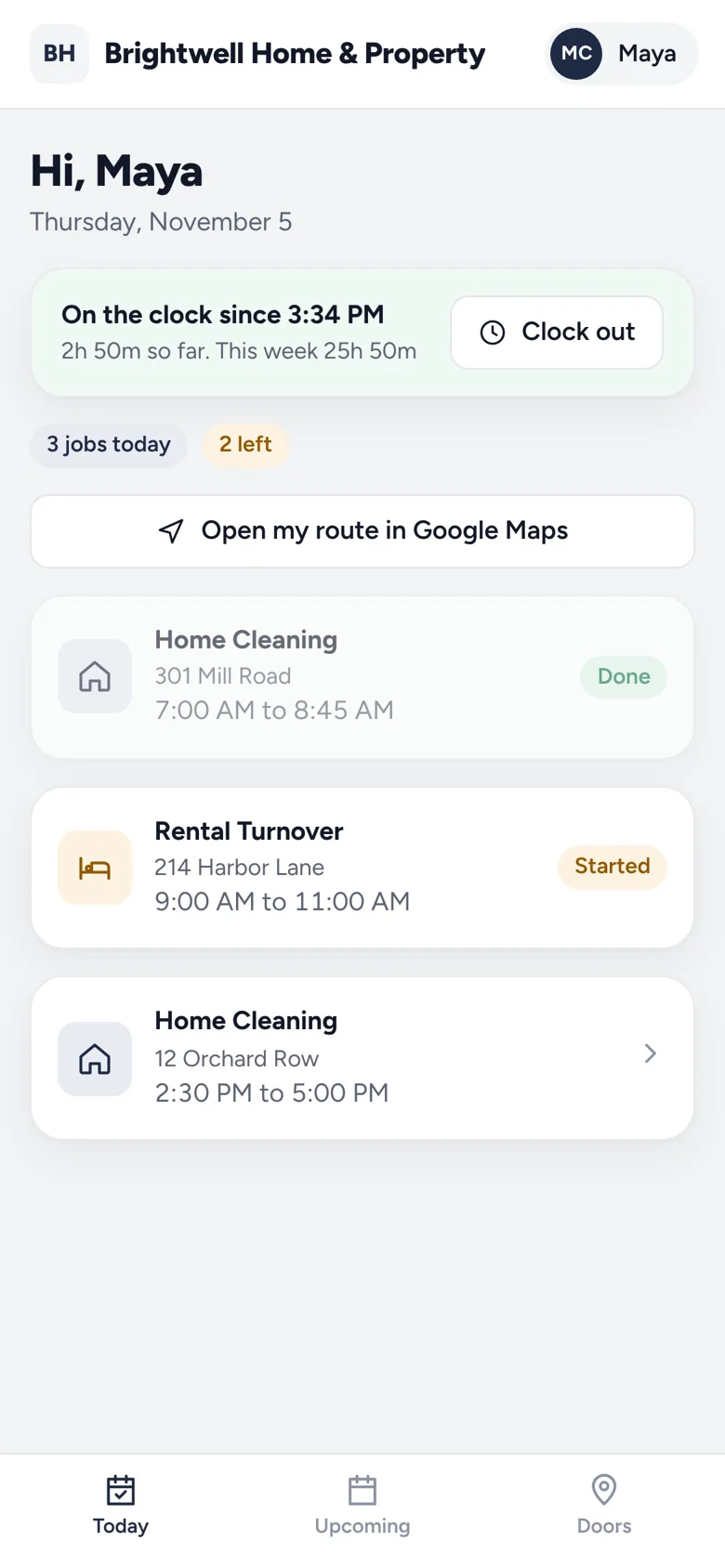
Each person sees only their jobs, with the route in Google Maps and the gate code up top.
Checklist done, before and after photos added, and the customer gets a visit report.
Switch between the week, each person and a map. Clear a day or offer an opening when plans change.
Weekly, every two weeks, every four weeks or monthly. Visits are added for the next five weeks and topped up as they go.
Each person sees their day, opens the route in Google Maps, and clocks in and out from their phone.
Notes and gate codes first, a checklist for every service, and before and after photos that go into the visit report.
Yes. Each person gets an invite and their own sign-in, and only sees what their role needs.
Yes. Subscribe once in Google, Apple or Outlook Calendar and it keeps itself up to date.
A visit report with the checklist and photos, from a private link. They can also ask to move, skip or pause an upcoming visit.
Get started
Every business on Homestone starts the same way: one page, one link, one first booking. Set it up yourself from your phone, or with us on a call.
14 days free on every plan. No card needed.